
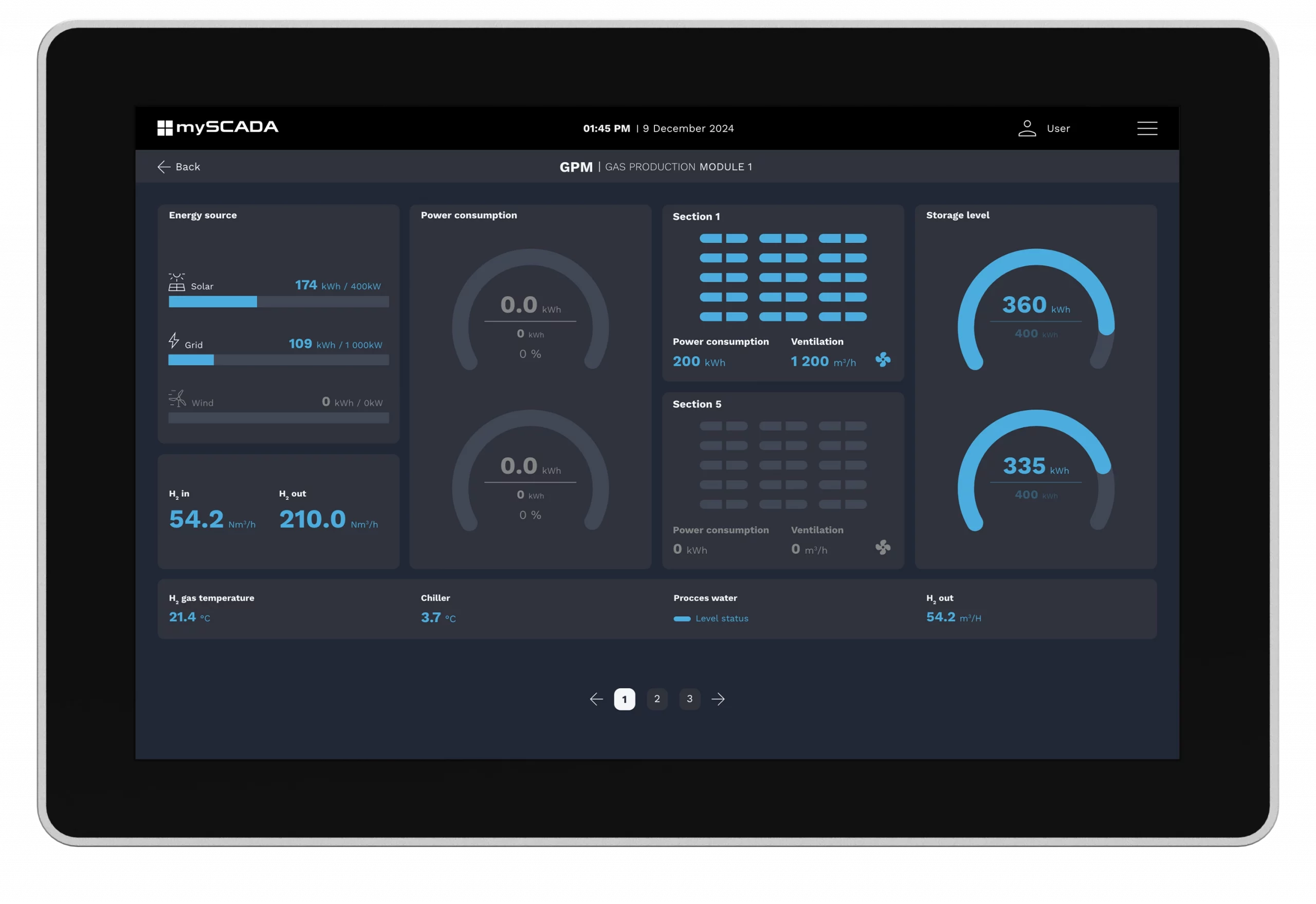
MYPANEL PERFECT OPERATOR'S INTERFACE
The perfect industrial operator’s panel combines an intuitive touchscreen interface, durable design for harsh environments, and seamless integration with control systems. It offers efficient operation, real-time data visualization, and advanced functionalities, contributing to enhanced efficiency in industrial processes.
EASY OPERATION AND MAINTENANCE
myPANEL provides a comprehensive solution for monitoring and controlling your technology. Each panel is equipped with a visualization platform known as myPRO, available in five screen sizes: 7, 10, 11, 13 and 15 inches.
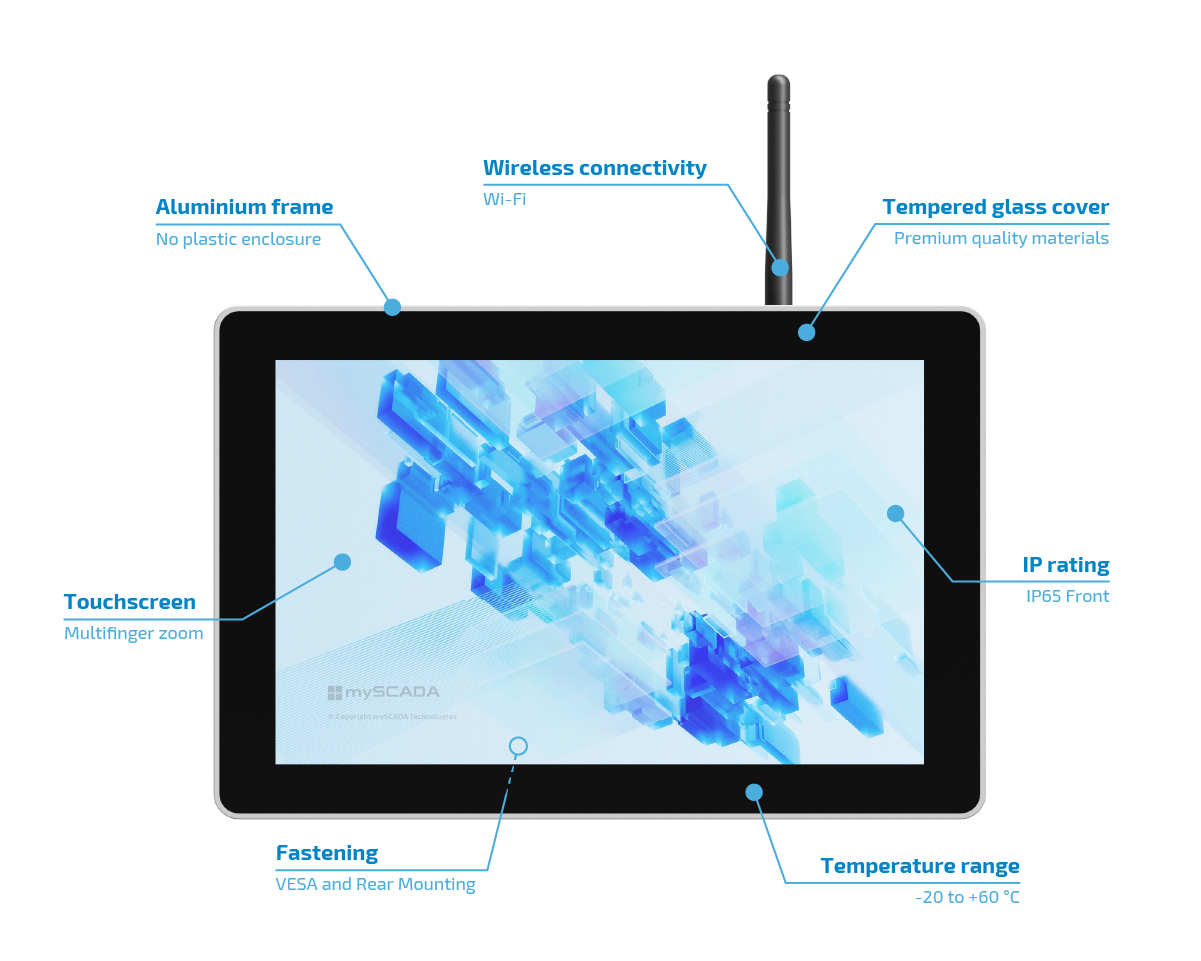

4 Core CPU (2.4 GHz), 4 GB RAM, 32 GB eMMC

2.4GHz & 5GHz dual-band Wi-Fi

LTE Connectivity (4G Module) – optional

Power Failure Protection (Supercapacitor)

Temperature range of -25 °C ~ 60 °C
APPRECIATED ADVANTAGES
This compact solution includes many functionalities that facilitate control and manage. Therefore, myPANEL ensures the highest performance for each production line where myPANEL is installed. Here are the greatest features which are appreciated by the customers based on their experience:
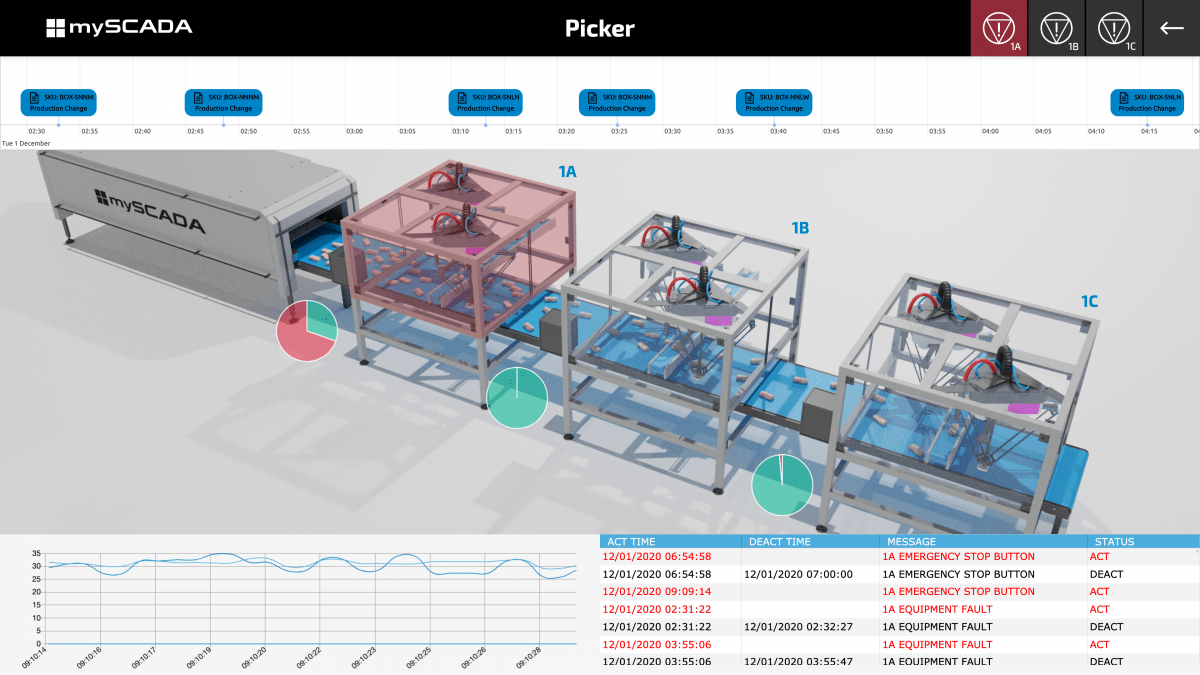
General overview
The production line or a machine can be drawn in modern looking visualisation
that gives the overview of the basic status of the technology.
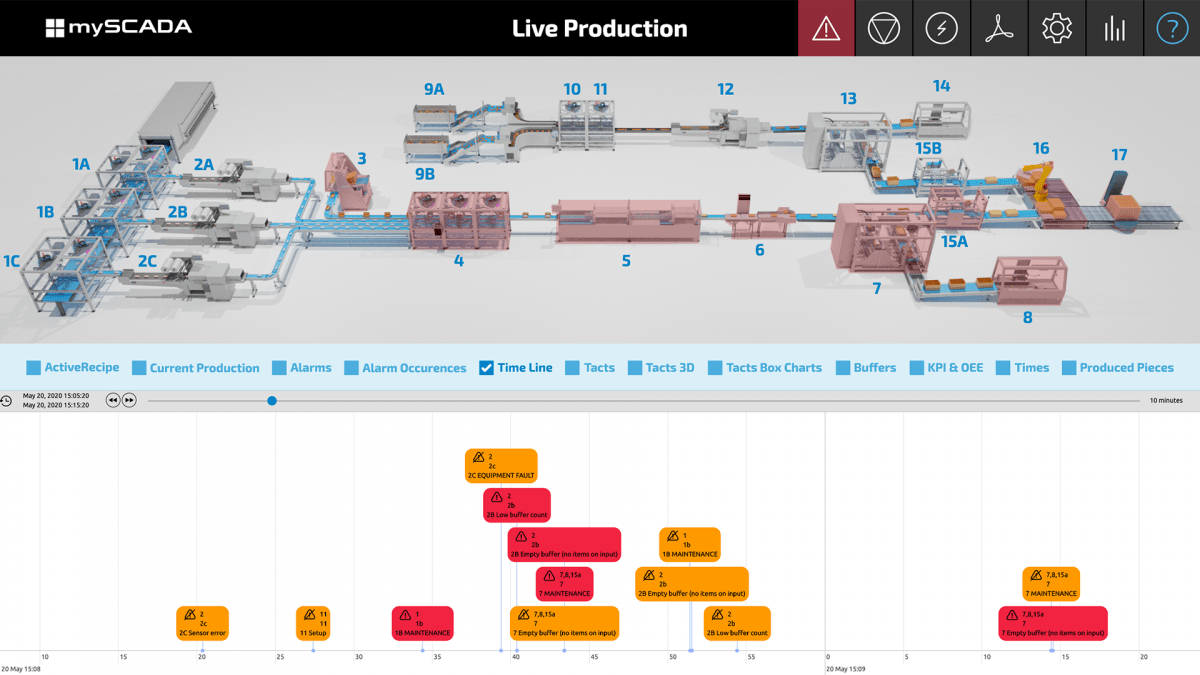
Actions
To display, manage, and log actions, the best way is to use the timeline tool.
Each action on the production line is written in the timeline. The user has a general overview of the technology.
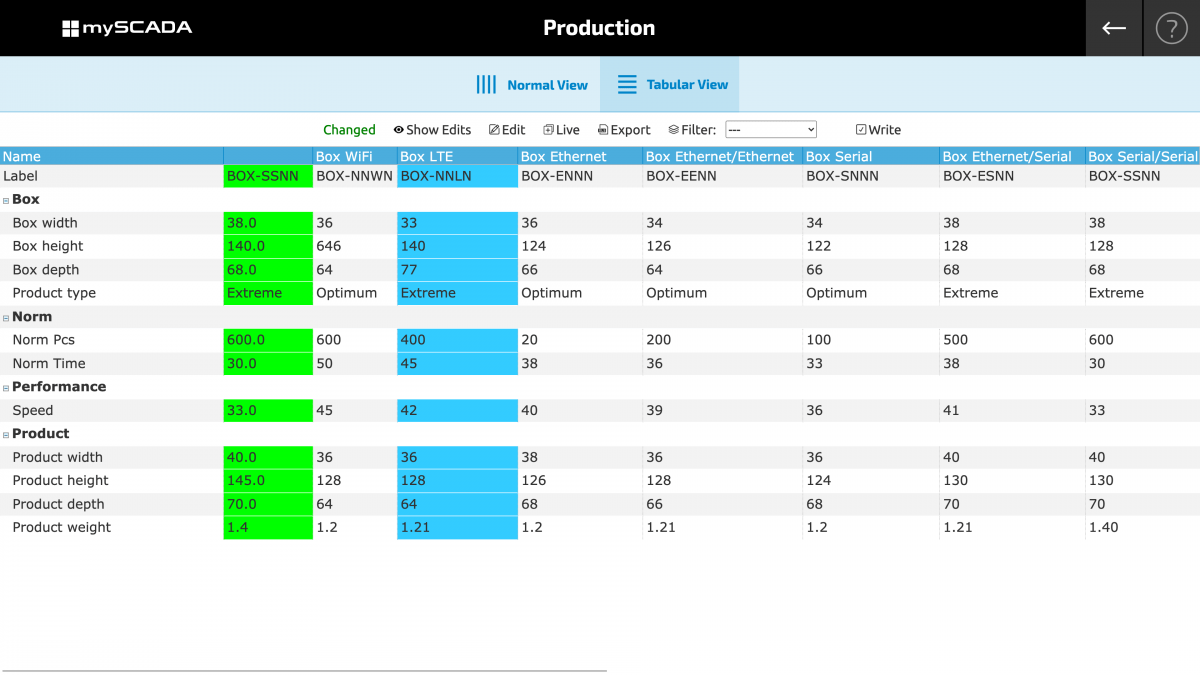
Recipe management
Active recipes show the parameters of the orders. You can change the recipes,
add or delete them. All important data is available in the table.
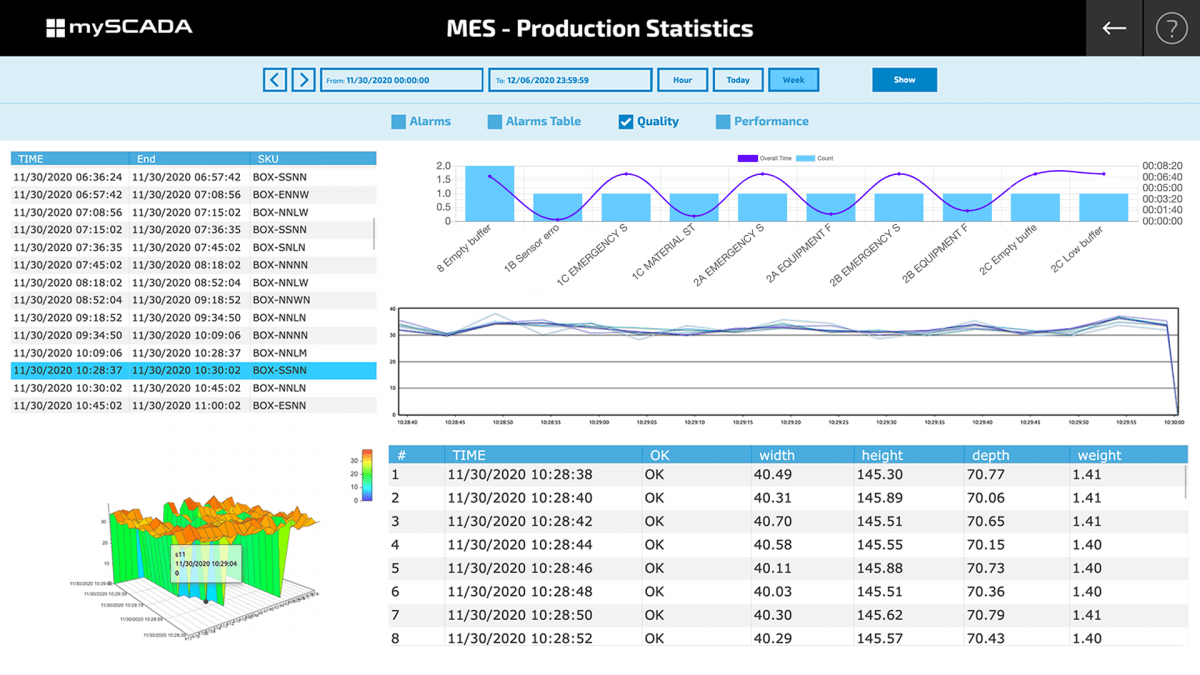
Statistics
Advances statistic tool generates many different graphs or trends which are useful for predictions
and optimizations of the processes. In the picture, there is a Box Plot view with the line speed.
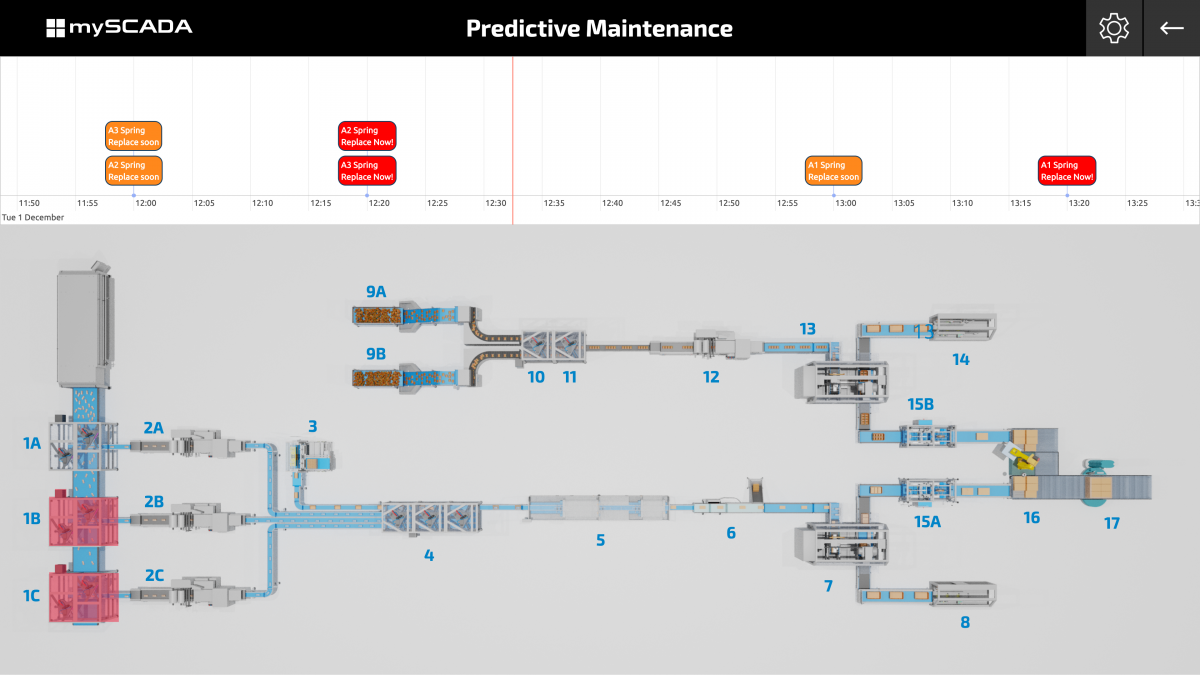
Predictive maintenance
For managing predictive maintenance, the best option is to use TPM (Total productive maintenance). This tool displays the list of
regular maintenance counted from the real running hours – that means that it counts only the time when the machine really works.
USEFUL FEATURES
System with full industrial SCADA and operator panel guarantees quality and affordable solution which can easily compete to all of the robust structures with its advanced functionalities.

General overview of technology

Alarm system and statistics

Online notification

Advanced data-logging

Paperless maintenance

Trending tools

Production management

User action tracking

Quality management

OEE and performance

Predictive maintenance

Remote connectivity
HOW IT WORKS
2 basic scenarios
myPANEL -> PLCs
In this scheme, myPANEL is directly connected to the PLCs. For instance, the main advantages are:
simple topology, reliable and proven solution, fast installation, and no maintenance.
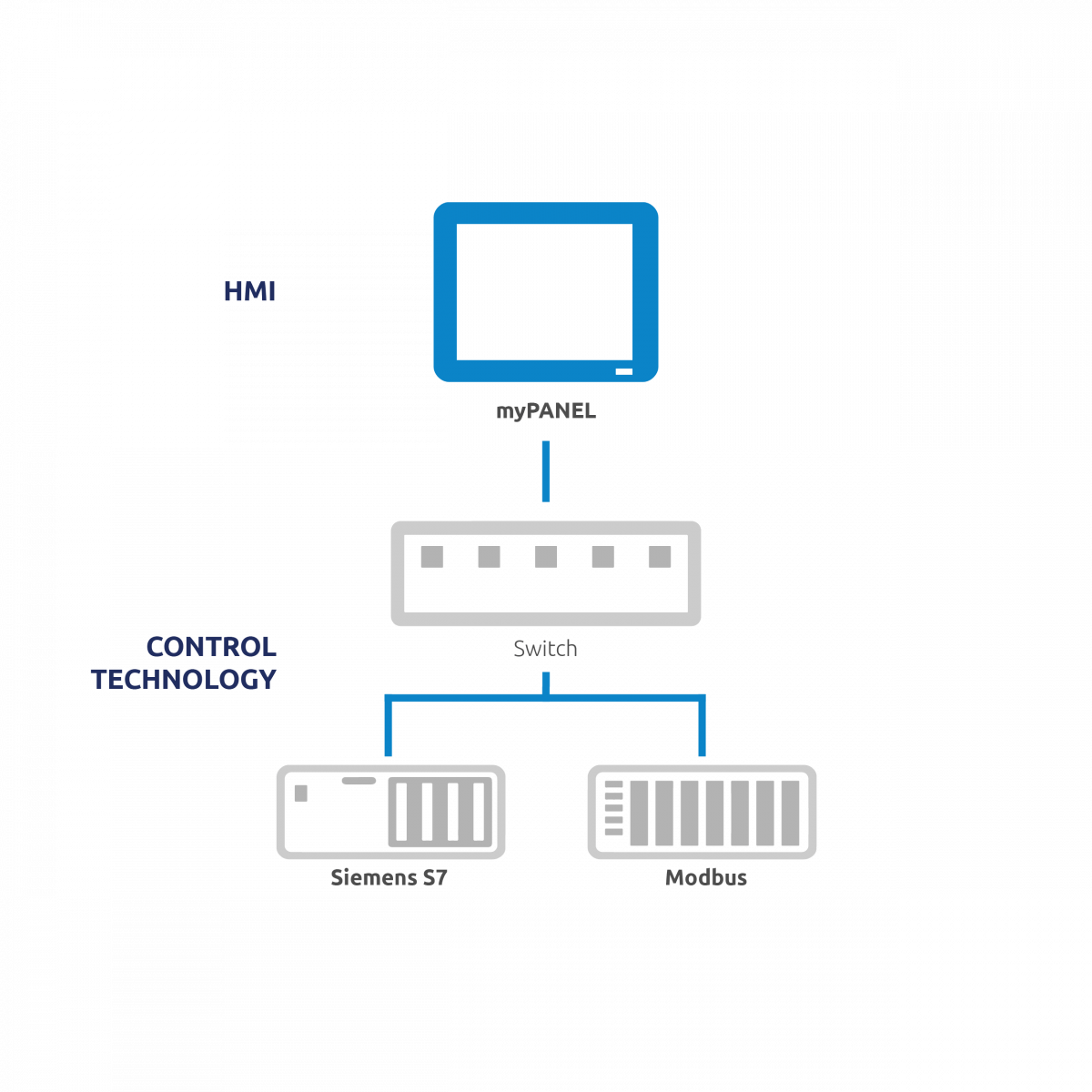 myPANEL -> SCADA server (myBOX or myPRO) -> PLCs
In this scheme, myPANEL is connected to SCADA server and the server then communicates with the PLCs. The main advantages are:
multiple myPANELs can be connected to the SCADA server, all user actions are logged on the server, the possibility to control everything from one myPANEL, high performance (load is balanced), the server lowes the PLC load when multiple myPANELs are connected to one PLC.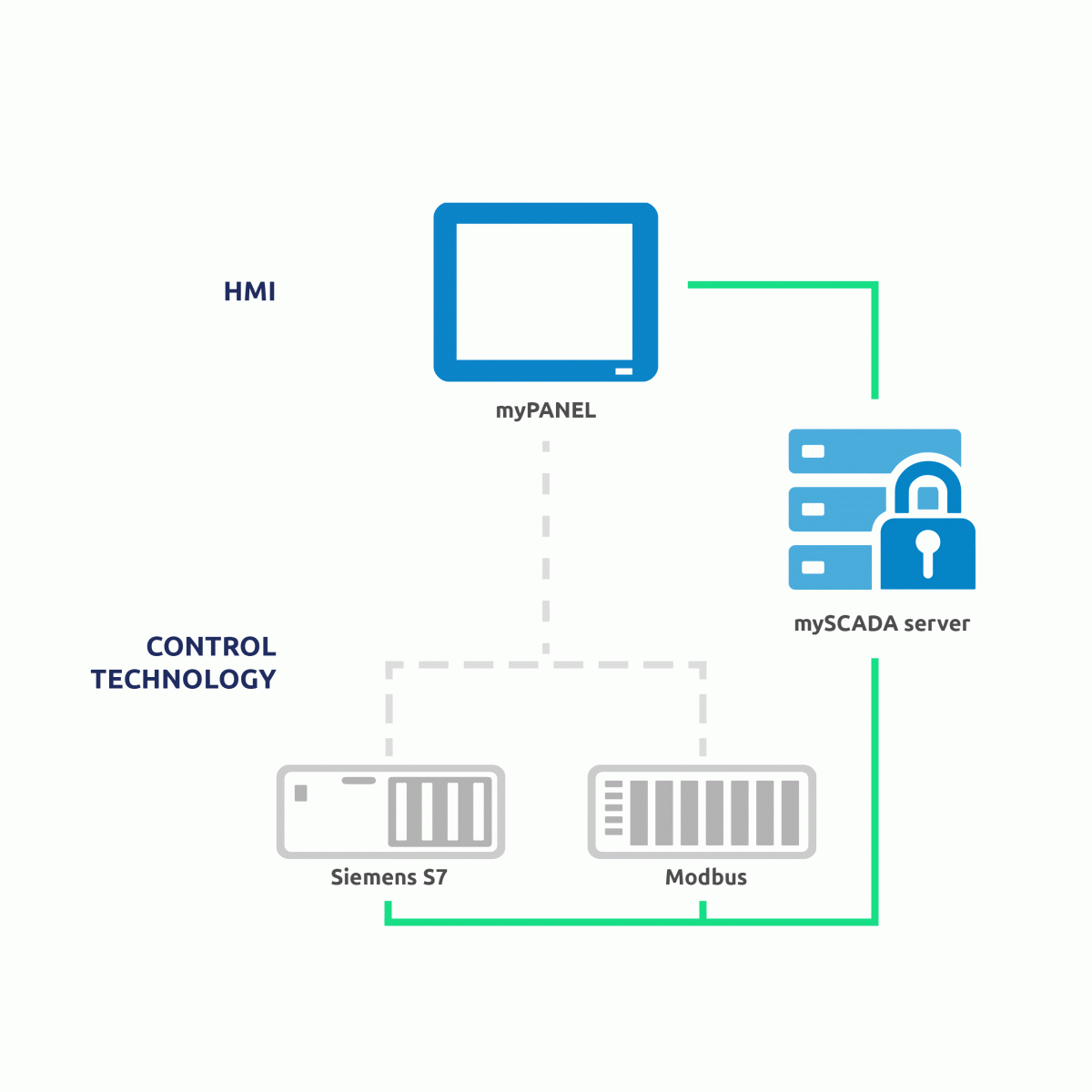
The animation shows how the automatic switchover works. It combines both schemes.
By default, myPANEL is communicating over the server. When the communication via server fails,
myPANEL automatically switches to direct communication with PLCs.
TECHNICAL DETAILS
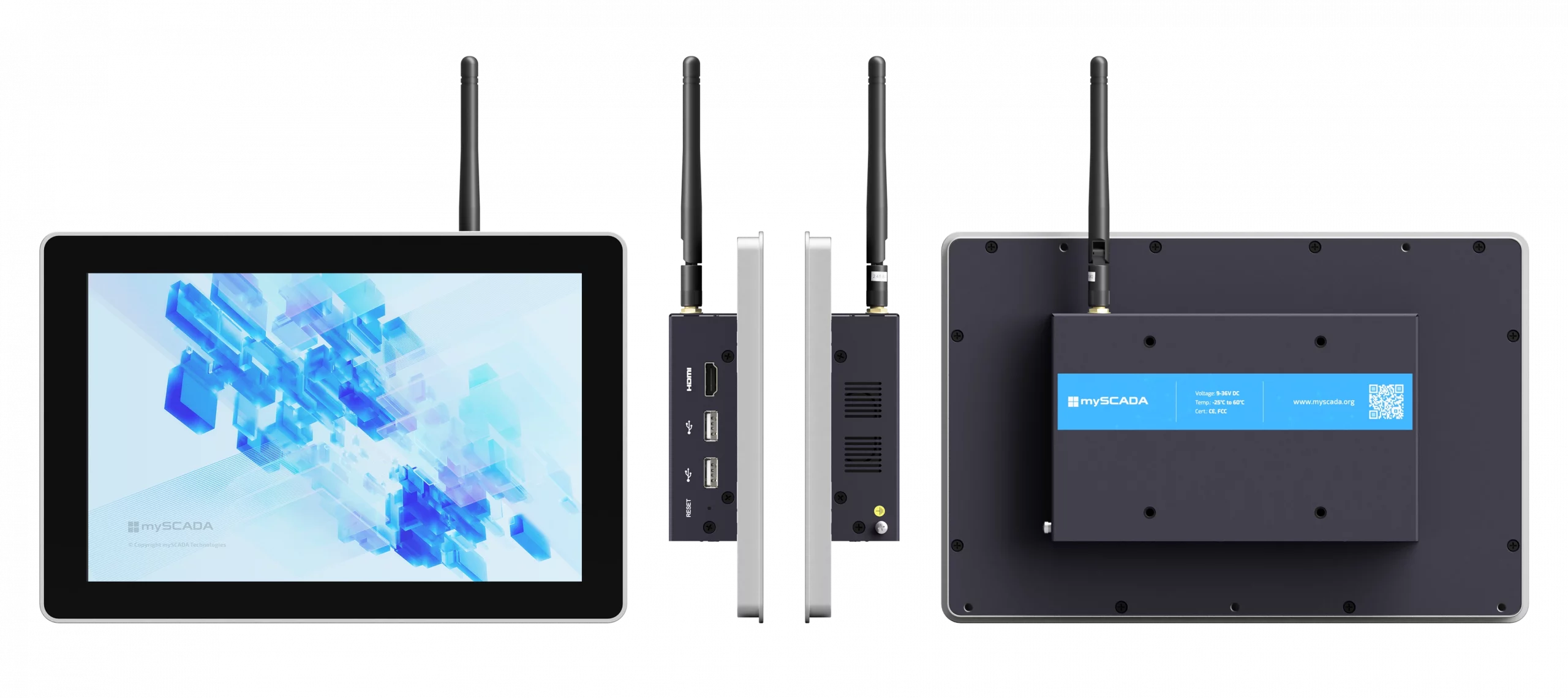
myPANEL7 |
myPANEL10 |
myPANEL11 |
myPANEL13 |
myPANEL15 |
DOWNLOADS
For downloading software, please register or log in here.
| Latest Firmware (myPANEL version 10″ and 15″) | DOWNLOAD |
| Changelog | Changelog |
For previous versions, please, go to HISTORY
| myPANEL leaflet | DOWNLOAD |
| myPANEL leaflet (DE) | DOWNLOAD |
| User Manual | User Manual Online |
myPANEL 10″
| Drop test report | DOWNLOAD |
| Vibration test report | DOWNLOAD |
| Shock test report | DOWNLOAD |
| FCC verification of compliance | DOWNLOAD |
| CE verification of compliance | DOWNLOAD |
myPANEL 15″
| Drop test report | DOWNLOAD |
| Vibration test report | DOWNLOAD |
| Shock test report | DOWNLOAD |
| FCC verification of compliance | DOWNLOAD |
| CE verification of compliance | DOWNLOAD |